Hurricane tracker and weather radar app for iPhone
Follow tropical cyclones, see rain on the radar, and get severe weather alerts for the places you save. All in one app for iPhone.


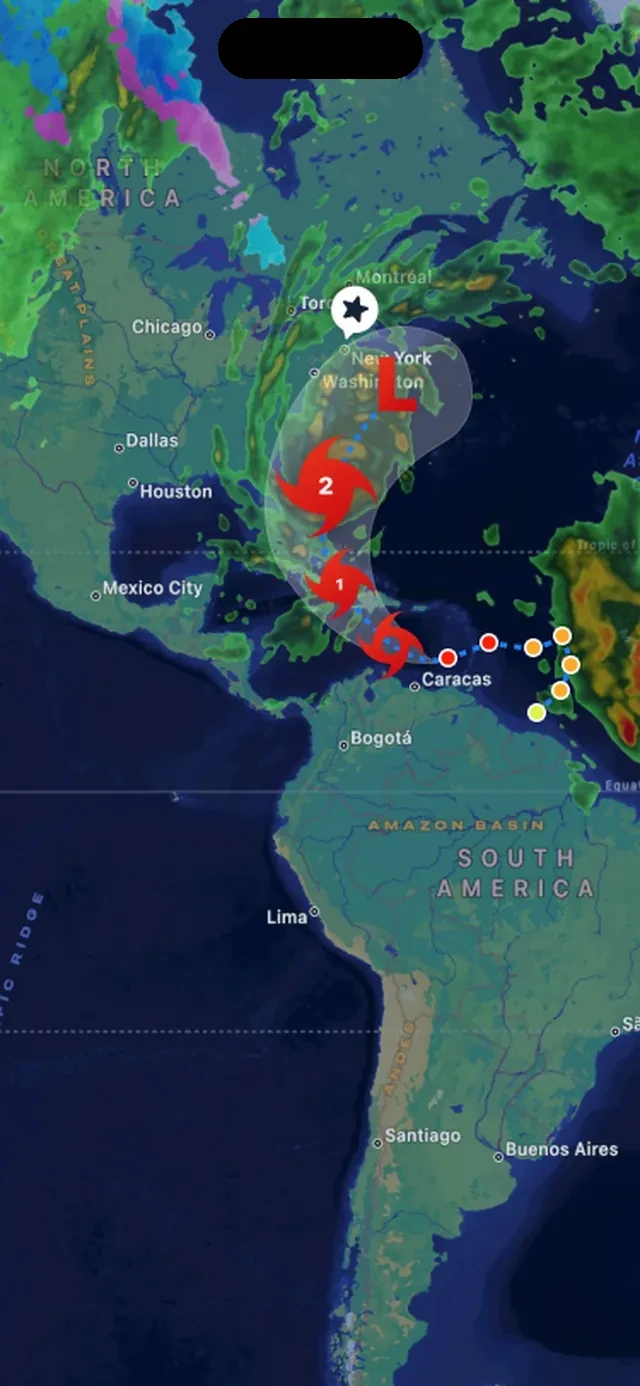
Hurricane Warning
Example alert
Miami-Dade County, FL. Hurricane conditions are expected.
Live radar
Cyclone tracks
Severe alerts
IN THE APP
How it works
Save your places
Keep home, work, and travel destinations together so you can return to their weather conditions.
Choose your map layers
View precipitation with radar, follow tropical cyclones, or add wind and other layers to the map.
Set up your alerts
Choose notification categories for each saved location and allow notifications on your iPhone. Explore weather alerts →
Live radar
See live weather radar and every map layer
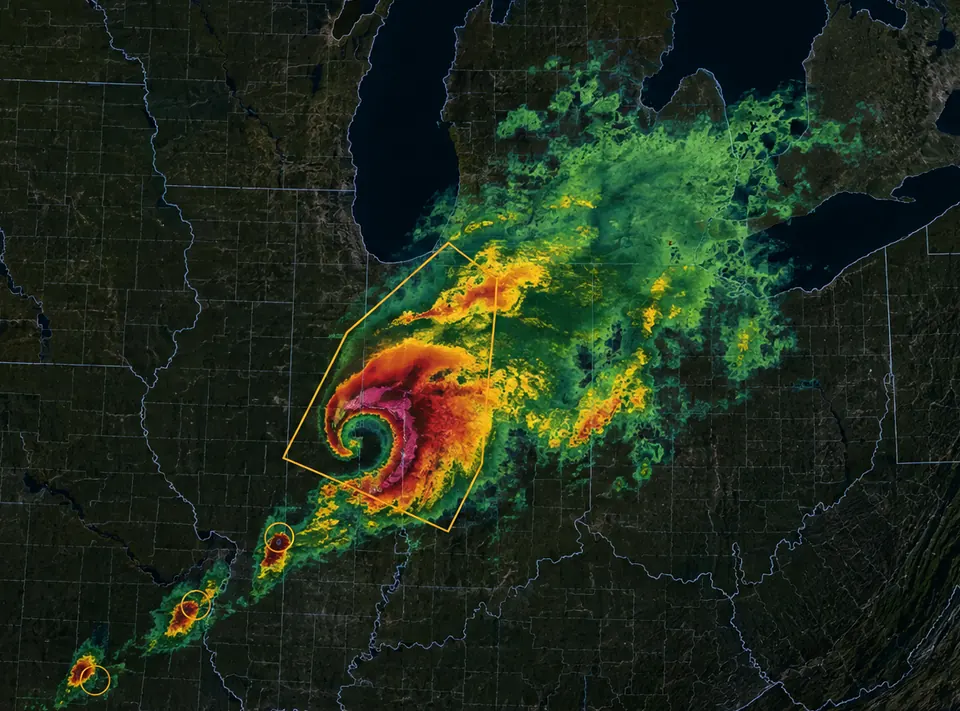
The map is the app. Turn on live weather radar to see precipitation as it moves, then add the map layers you need on top of it. Wind animation, lightning strikes, air quality, temperature, snow depth, pollen, and active fires can all sit on the same view.
Radar runs on a timeline, so you can play it forward to see where the rain is heading.
See what live weather radar shows
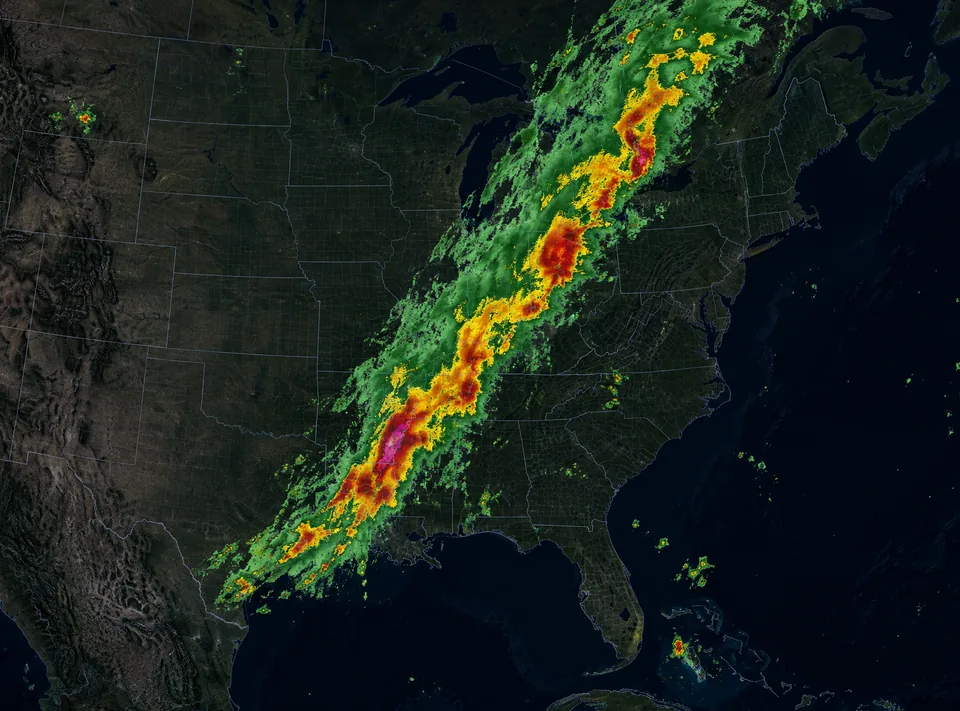
Precipitation intensity
Light
Moderate
Heavy
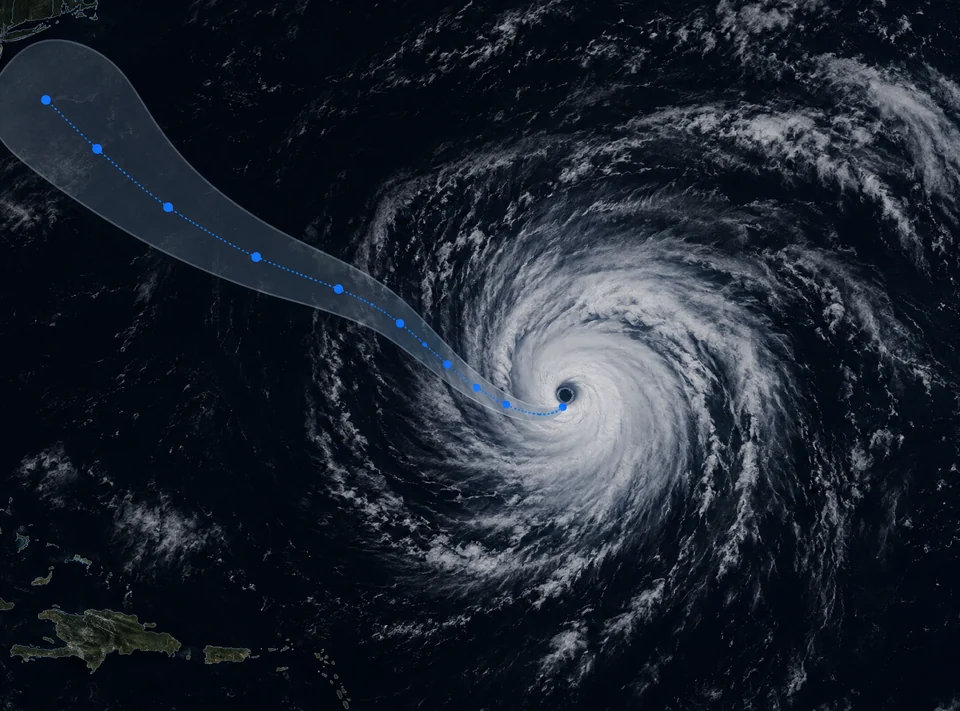
Hurricane tracking
Track hurricanes and tropical cyclones
Follow active tropical cyclones on the hurricane tracking map. Open a storm to see its category and forecast path.
Explore the tracker page for storm details, hurricane categories, and the difference between a watch and a warning.
Explore the hurricane tracking map
Tornado Warning
Example alert
Dallas County, TX. Take shelter now, away from windows.
Hurricane Watch
Example alert
Miami-Dade County, FL. Hurricane conditions are possible.
Severe weather alerts
Severe weather alerts for the places you care about
Save home, work, a family member’s address, or a travel destination. Choose notification categories separately for each place.
Severe weather alerts cover hazards such as tornadoes, tropical storms, winter weather, and wildfire danger. Coverage depends on your location.
See every alert type we cover
Tornado
Know when a tornado warning is for you
The Stormcells layer marks the storms that are rotating, so you can see which cell the alert is about and where it is heading.
Explore tornado tracking to learn about stormcells and the difference between a watch and a warning.
See how tornado tracking works
Weather on your home screen and lock screen
Add a widget and see current conditions without opening anything. Home screen and lock screen are both supported, with lock screen widgets on iOS 16 or later.
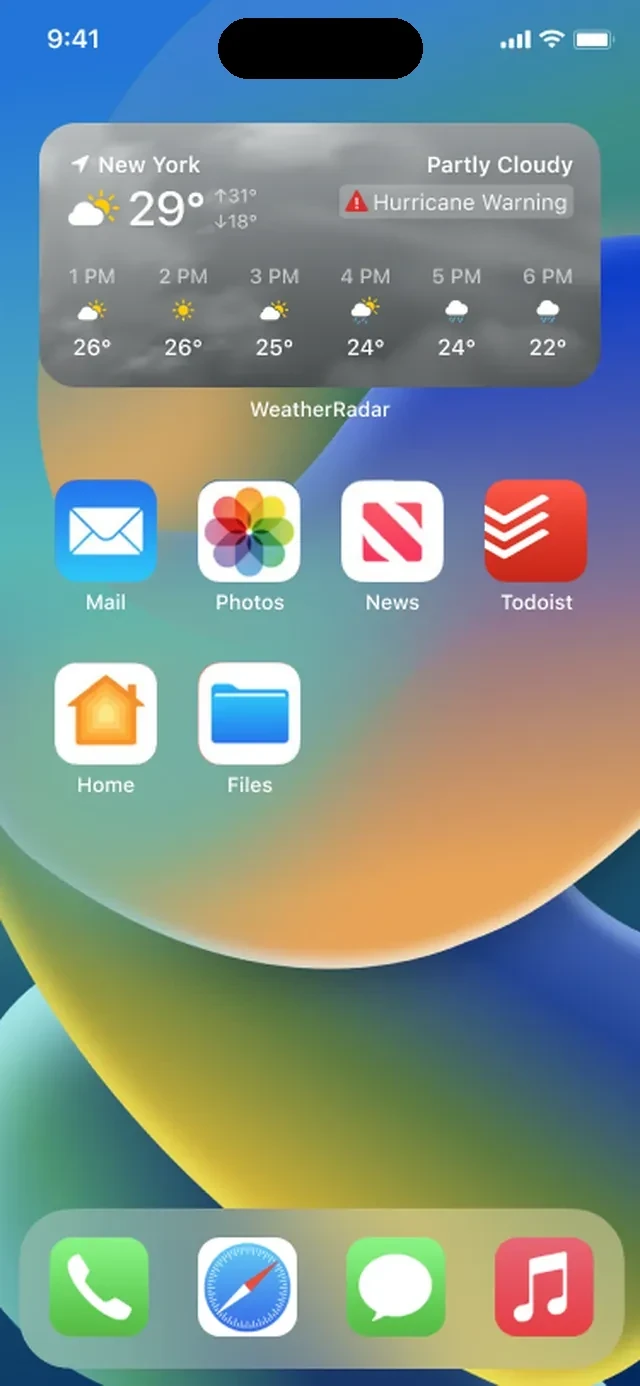
Home screen
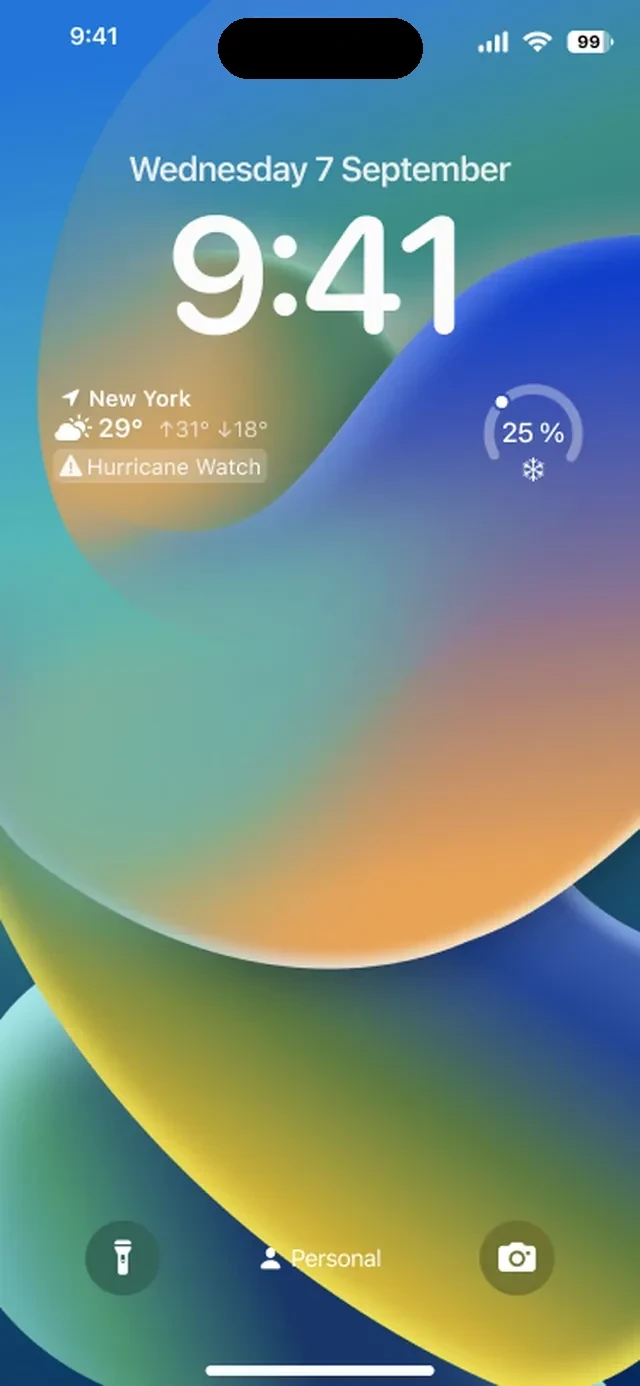
Lock screen
What people say
I truly appreciate having access to this information when I need it. I am responsible for two senior care homes and this weather tracker helps me stay informed and in control.
mvlgg
App Store
Nicely integrates multiple wether elements, radar returns, wind, frontal boundaries to give a dynamic presentation of weather
daytexas
App Store
This app works great, accurate forecast, easy to view and understand, wonderful instant weather viewing
Chinger12
App Store
Frequently asked questions
What is Hurricane?
Hurricane is a weather tracker for iPhone. It combines live radar, tropical cyclone tracking, and severe weather alerts on a single interactive map, and is built for people who need to know what the weather is doing before it arrives.
What devices does Hurricane work on?
Hurricane is an iPhone app and requires iOS 15.0 or later.
Where does the weather data come from?
In the United States, alerts and forecast data are sourced from NOAA and the National Weather Service. Hurricane is an independent app and is not affiliated with either organization.
Does Hurricane work outside the United States?
Partly. The radar and wind layers work globally, and lightning coverage includes the United States, Canada, and Europe. Severe weather alerts are available for the United States, Canada, and European countries. The app interface is in English only.
Can I get alerts for more than one location?
Yes. You can save multiple locations and set notifications separately for each one, including which alert types you want and what time you receive the daily forecast.
Get the map before you need it
Hurricane is free to download. Premium features are available in-app.